Field note / Deep dive
How I Built ParliamentConnect's ML Pipeline Solo
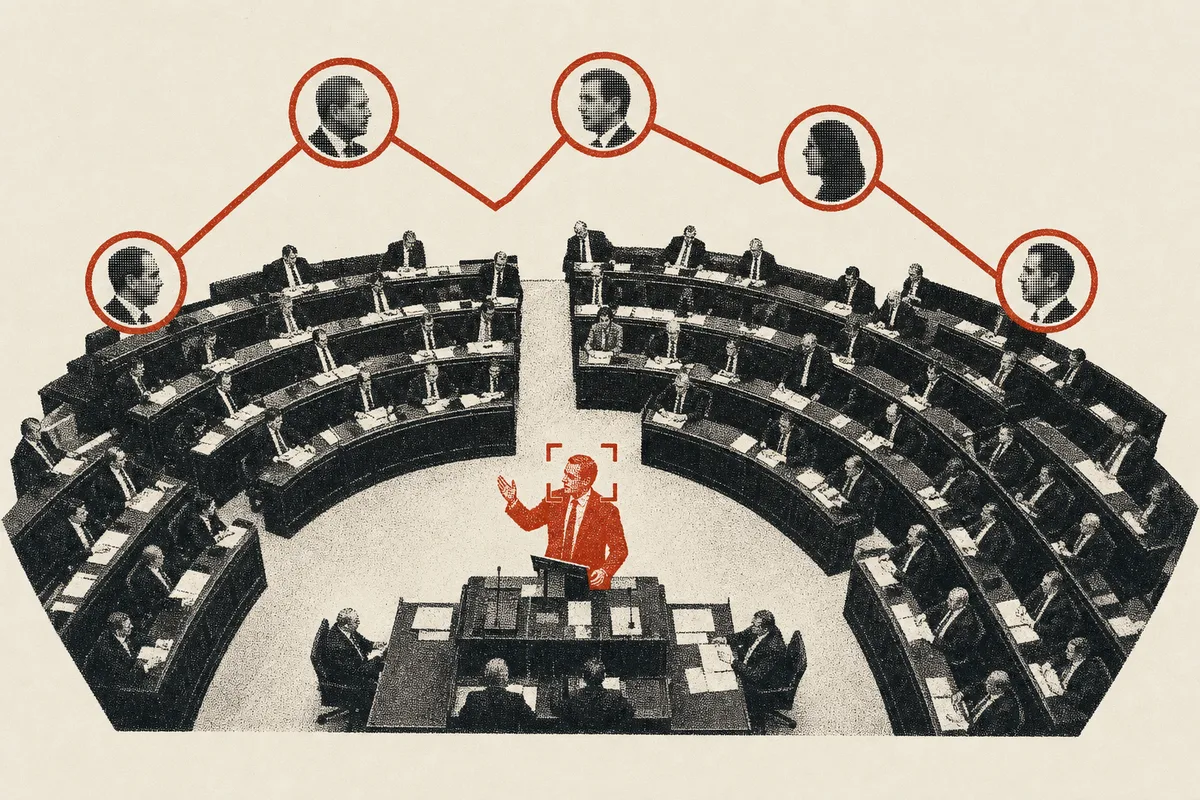
In 2025, I took on the most technically ambitious project of my career. I had zero experience with Python ML, CUDA, or GPU computing. The result: a system that processes 8-hour parliament sessions and correctly identifies who said what with 98% accuracy, in under 45 minutes.
This is the architecture behind ParliamentConnect.
What ParliamentConnect Does
Parliamentary proceedings are public. They're supposed to be accessible. In practice, they're not. A full parliament session is 2 to 8 hours of video. Who has time to watch that? And if you did watch, how would you find the specific speech by the specific MP you care about?
ParliamentConnect solves this. It automatically takes full parliament session videos, processes them through an ML pipeline, and produces attributed clips — individual speeches matched to the MP who delivered them, with full text transcription. Users can browse speeches by MP, by topic, by date. They can share clips directly to social media through integrated Postiz (self-hosted social media management).
The goal is transparency and accessibility. Make parliamentary proceedings actually consumable by the public.
Why This Is Hard
At first glance, this sounds like a transcription problem. Just run the audio through Whisper and you're done.
You're not done. You're not even close.
Parliament sessions show multiple people. The camera cuts between the active speaker, reaction shots of other MPs, wide shots of the chamber, close-ups of the audience. At any given moment, multiple faces are visible on screen. You can't just detect a face and assume that person is speaking.
You need to answer a harder question: who is speaking at every single moment in a multi-hour video with constantly changing camera angles?
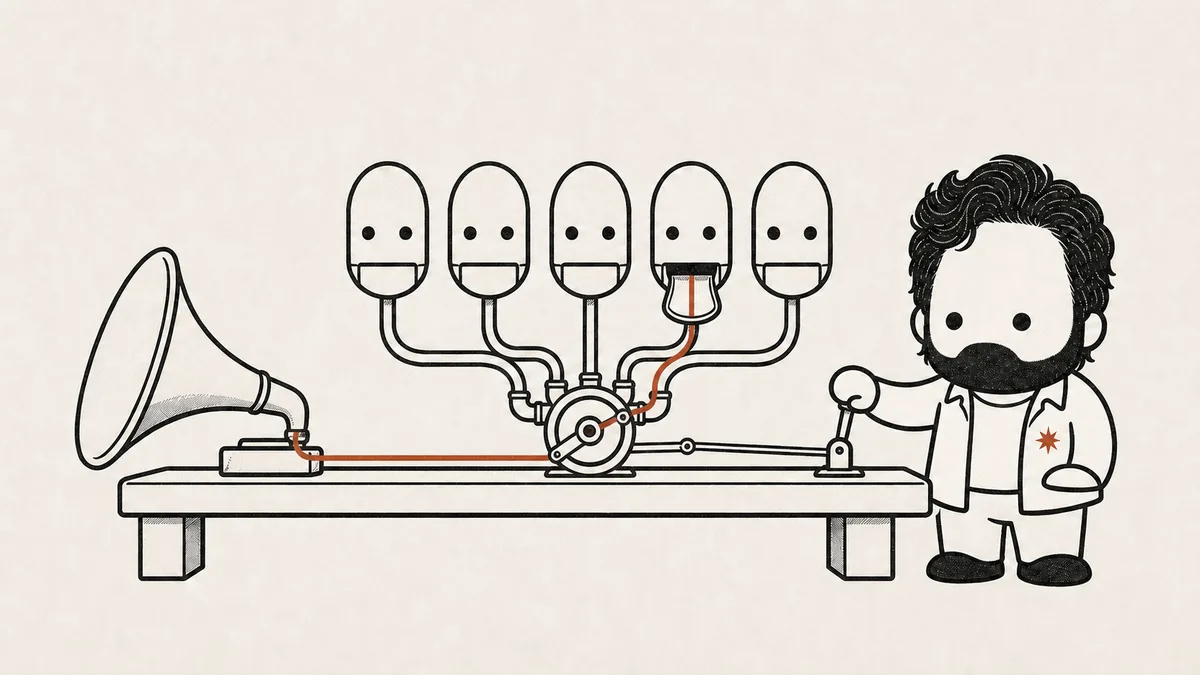
That requires solving several problems simultaneously:
Speaker diarization. Segmenting the audio into "speaker turns" — identifying when one person stops talking and another starts. Each segment gets a unique speaker ID based on voice characteristics.
Transcription. Converting each audio segment to text. Sounds simple until the session switches between languages mid-sentence.
Active speaker detection. Given a video segment where three faces are visible, determining which one is actually speaking. This requires analyzing lip movement patterns correlated with the audio signal across multiple frames.
Face recognition. Taking the detected active speaker's face and matching it against a database of known Members of Parliament. MPs change over time — new members join, faces age. The system needs to handle this gracefully.
Scale. A single session can be 8 hours. The pipeline needs to process this in minutes, not hours. Manual processing would take a team of humans days.
The Architecture
Here's the full system, end to end.
Parliament Video Source
        │
        ▼
  Supabase DB Trigger (new session detected)
        │
        ▼
  RunPod Serverless Function (NVIDIA RTX PRO 6000, 96GB VRAM)
        │
        ├─► Download full session video
        │
        ├─► Extract audio track (FFmpeg)
        │
        ├─► Speaker Diarization (pyannote.audio)
        │   └─► Output: [(start_time, end_time, speaker_id), ...]
        │
        ├─► Transcription (faster-whisper, large-v3 model)
        │   └─► Each diarized segment transcribed individually
        │
        ├─► Active Speaker Detection (custom pipeline)
        │   └─► Face detection per frame (RetinaFace)
        │   └─► Lip-sync + temporal analysis
        │
        ├─► Face Recognition
        │   └─► 128-dim face embedding vs MP database (pgvector)
        │   └─► Cosine similarity with confidence thresholds
        │
        ├─► Clip extraction (FFmpeg) + thumbnail generation
        │
        └─► Update Supabase with attributed clips
                │
                ▼
        Next.js Frontend (real-time updates via Supabase Realtime)
                │
                ▼
        Postiz API (self-hosted) → Social Media Publishing
Let me walk through each stage and explain why it's designed this way.
Stage 1: The Trigger
Everything starts with a database event. When a new parliament session record is inserted into Supabase (self-hosted PostgreSQL), a database trigger fires. The trigger uses PostgreSQL's pg_net extension to make an HTTP call directly to RunPod's serverless API, starting the processing pipeline.
Why this design: Event-driven, no polling. The system doesn't check for new sessions every N minutes — it reacts immediately when one appears. pg_net keeps the trigger mechanism inside PostgreSQL itself, eliminating the need for a separate webhook service or cron job. Simple and reliable.
Stage 2: Speaker Diarization
The first ML stage processes the extracted audio through pyannote.audio — a pre-trained neural network for speaker diarization. It segments the entire audio into speaker turns, producing timestamps with unique speaker IDs based on voice embeddings (voice fingerprints).
The output is a list of segments: [(start_time, end_time, speaker_id), ...]. Speaker IDs are consistent within a session — if Speaker A talks at minute 5 and again at minute 47, both segments get the same ID.
Why pyannote.audio: It's pre-trained, GPU-accelerated, and produces high-quality voice embeddings that maintain consistency within a session. On the NVIDIA RTX PRO 6000 (96GB VRAM), a 4-hour session is diarized in about 10-15 minutes. For a pipeline that needs to process hours of audio efficiently, GPU acceleration isn't optional — it's the difference between "usable" and "not usable."
Design decision: Diarization runs on the full audio before anything else. This gives us clean segment boundaries that every downstream stage can use. The alternative — running transcription on the full audio and trying to split speakers after the fact — produces significantly worse results because speaker transitions mid-sentence get lost.
Stage 3: Transcription
Each diarized audio segment is transcribed individually using faster-whisper (the large-v3 model). Not the full audio — each segment separately.
Why faster-whisper over standard Whisper: faster-whisper uses a CTranslate2 backend that gives 4x speed improvement over the standard PyTorch implementation, with the same accuracy. When you're processing hours of audio, that's the difference between 30 minutes and 2 hours. There's no downside.
Why transcribe per segment: Transcribing each diarized segment individually produces better results than transcribing the full audio and retroactively splitting by speaker. Each segment has clean start/end boundaries from diarization, and Whisper gets better context when processing focused, single-speaker audio chunks. It also handles multilingual content better — if one MP speaks in one language and the next in another, each segment is processed in isolation.
Stage 4: Active Speaker Detection
This is the hardest stage, and the one I had to build a custom pipeline for.
The problem: For each diarized segment, we know someone is speaking and we have their voice signature. But we need to figure out which face on screen belongs to that voice. Parliament footage isn't a 1-on-1 interview. A typical shot might show 3-5 faces simultaneously — the active speaker at the podium, nearby MPs, sometimes a wide shot of the entire chamber.
The approach: For each segment, the pipeline extracts video frames at the corresponding timestamps and runs RetinaFace for face detection — finding all visible faces and their bounding boxes in each frame. Then comes the custom part: a temporal analysis pipeline that correlates lip movement patterns across multiple frames with the audio signal to determine which detected face is the active speaker.
Why a custom pipeline: Off-the-shelf active speaker detection models exist, but they're designed for meeting-style footage where participants are clearly framed. Parliament footage is different — camera angles change constantly, faces appear at different scales (podium close-up vs. wide chamber shot), and the visual context shifts rapidly. I needed something that could handle this specific domain.
Why temporal analysis matters: A single frame can be misleading — someone might have their mouth open for a non-speech reason. But analyzing lip movement patterns across a sequence of frames, correlated with the audio waveform, builds a confidence score for each face-voice association. The temporal dimension is what makes this reliable.
Stage 5: Face Recognition
Once we know which face is the active speaker, we need to identify them. The pipeline computes a 128-dimensional face embedding from the detected face and compares it against a pre-built database of known Members of Parliament.
The MP database is stored in PostgreSQL using the pgvector extension for efficient vector similarity search. Each MP has one or more face embeddings computed from official portrait photos and additional images at different angles.
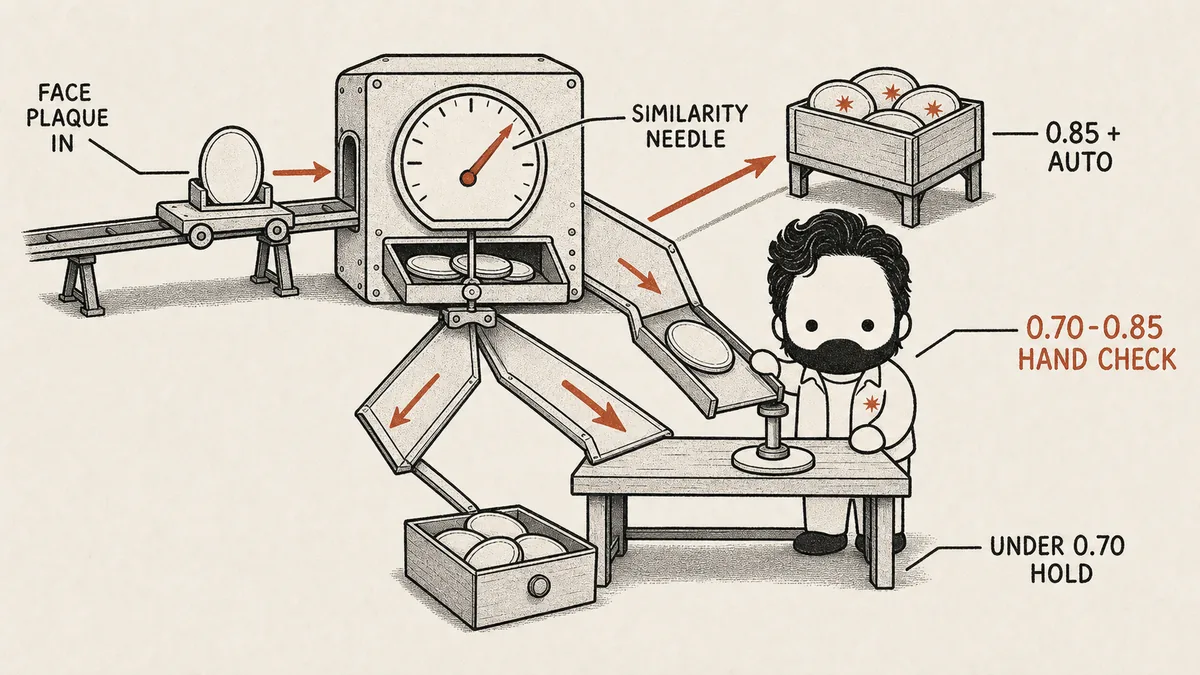
Matching uses cosine similarity with a three-tier confidence system:
- > 0.85 similarity → Auto-attribute. High confidence. The speech is automatically assigned to the matched MP.
- 0.70 – 0.85 → Manual review. Medium confidence. The match is flagged for human verification before publishing.
- < 0.70 → Skip. Low confidence. The speech is left unattributed rather than risking a wrong attribution.
Why pgvector instead of a separate vector database: Face embeddings are 128-dimensional vectors. pgvector handles cosine similarity search efficiently, and it runs inside the same PostgreSQL instance that stores everything else. No separate Pinecone, Weaviate, or Qdrant deployment. Keeping the architecture simple when simple works is always the right call.
Why three tiers instead of a binary match/no-match: 98% accuracy doesn't come from a single threshold — it comes from calibrating where the system is confident enough to act automatically versus where it should defer to a human. The 0.70-0.85 range is where most mistakes would happen with a binary approach. Sending those to manual review catches the edge cases without creating a bottleneck — only a small percentage of segments land in this range.
Why the system improves over time: As more images of each MP are added to the database — from different sessions, different angles, different lighting conditions — the embedding database gets richer. The similarity search becomes more reliable because there are more reference points to match against.
Stage 6: Output
For each identified speech segment, the pipeline:
- Extracts the video clip using FFmpeg with precise timestamps
- Generates a thumbnail
- Uploads both to Supabase Storage
- Updates the database with: MP attribution, transcript text, timestamps, confidence scores, and storage URLs
- Fires a Supabase Realtime notification so the Next.js frontend updates live
Users see new clips appear on the platform as they're processed, without refreshing.
The Infrastructure
The ML pipeline runs on RunPod serverless — pay-per-use GPU computing. Each processing job spins up an NVIDIA RTX PRO 6000 (96GB VRAM), runs for 30-45 minutes depending on session length, and shuts down.
Why serverless GPU: Parliament sessions don't happen 24/7. Running a dedicated GPU server at $2-3/hour for a job that happens a few times a week would be wasteful. RunPod's serverless pricing means I pay only for the 30-45 minutes of actual processing time.
The rest of the stack — Next.js frontend, Supabase (database, auth, storage, realtime), Postiz for social media publishing — all runs on self-hosted Coolify on Hetzner Cloud. As I wrote about in my self-hosting post, having the entire infrastructure as code in the repo means every piece of the system is visible, version-controlled, and AI-readable.
What I Learned About Architecture in the AI Era
I had zero experience with Python ML, CUDA, or GPU computing before ParliamentConnect. Zero. I'd spent years in the TypeScript/Node.js/React ecosystem. Python ML was a completely different world.
But here's the thing — after years of picking up new tech (Android → React Native → Next.js → Supabase → Coolify → self-hosting), I trusted the pattern. Every time I've faced a completely new domain, the process is the same: research deeply, understand the architecture, design the system, then implement.
AI tools — specifically Claude — made the implementation part faster than ever. Python syntax questions, library configurations, CUDA setup issues — these things that would have taken hours of Stack Overflow browsing in the past became focused conversations with an AI that understood the codebase.
But no AI designed this pipeline.
No AI decided that diarization should run before transcription. No AI figured out that temporal lip-sync analysis was the key to active speaker detection in parliament footage. No AI designed the three-tier confidence system for face recognition. No AI architected the event-driven trigger mechanism.
The design decisions — the High-Level Design and Low-Level Design — were entirely human. Understanding how pyannote segments audio into speaker turns. How Whisper handles multilingual content. How RetinaFace detects faces at different scales. How cosine similarity works for face embeddings. How all of these pieces connect into a data pipeline that processes hours of video reliably.
That's the lesson this project crystallized for me: in the AI era, architecture is the moat.
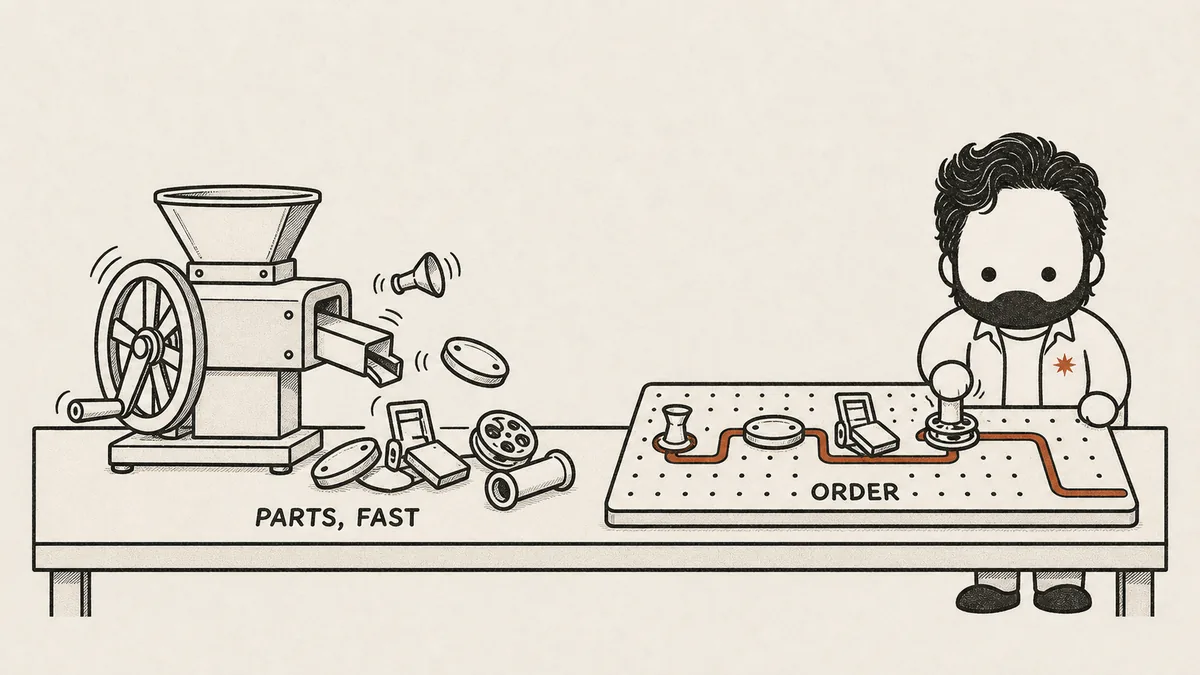
AI can help you implement any individual piece faster than ever. But understanding how the pieces fit together — from the micro level of an individual ML model to the macro level of the full system pipeline — that's the skill. That's what AI can't do for you. And it's more important now than it's ever been. How that conviction formed over the years is its own story.
The Results
- 98% accuracy in speaker identification and attribution
- Full 8-hour parliament session processed in 30-45 minutes
- Work that would take a human team days of manual effort
- Continuously improving as more MP face images are added to the database
- Users can browse, search, and share attributed parliamentary speeches on social media
ParliamentConnect is live at parliamentconnect.com. The entire platform runs on self-hosted infrastructure — Coolify on Hetzner Cloud for the web app and Supabase, RunPod serverless for GPU processing.
Find me on GitHub, LinkedIn, or at taoufiqlotfi.com.
If you've built something complex in a domain you had zero experience in — ML, embedded systems, blockchain, whatever — I'd love to hear your story. The "zero to building" journey is always the most interesting one.
End of file
 How I Ship Five Times More With AI
  Why I Self-Host Everything Now
  Joining Baseloop as a Founding Engineer